cd ..
EN
Networking
How a Switch Works: The Backbone of Your Network
R
Rodolfo Echenique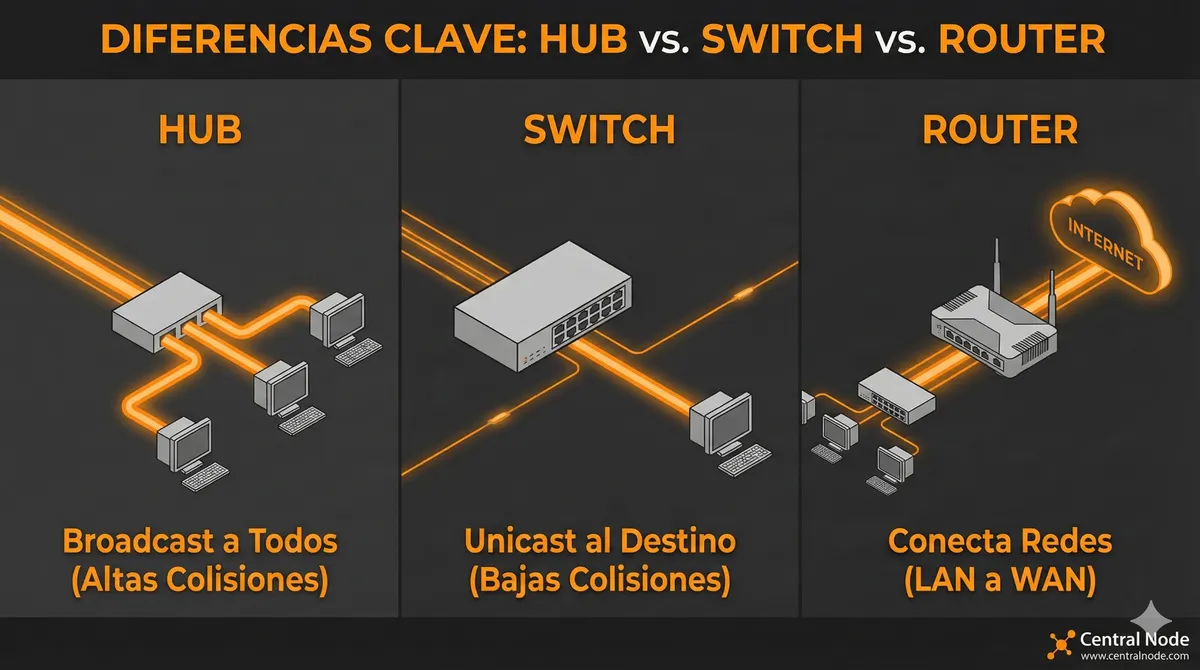
Automated Translation: This article was originally written in Spanish and translated by Gemini AI.
In the world of IT, where every data packet counts, understanding how network devices work is key to optimizing infrastructure, security, and performance. Although many of us hear about switches, routers, and hubs, not everyone truly knows their differences and how they impact a company's daily operations.
In this article, we will explore what a switch is, how it works, and why it is different from a hub or a router, with a practical focus for IT professionals, managers, business leaders, and potential clients.
What is a Switch?
A switch is a network device that connects multiple devices within the same local area network (LAN) and allows for the intelligent transmission of data. Unlike a hub, which simply repeats the information to all ports, a switch directs packets only to the destination device using MAC addresses, thereby optimizing bandwidth and reducing collisions.
The Switch as a “Building Receptionist”
Imagine an office building:
- The hub is like a receptionist who shouts the message across all floors. Everyone hears it, even if only one person needs the information.
- The switch is a receptionist who delivers the message directly to the correct office, without bothering the rest.
- The router would be responsible for sending correspondence between buildings (networks), ensuring it arrives at the correct address.
To better visualize these differences and understand the role of each device, watch this video:
Key Functions of a Switch:
- Connecting PCs, servers, printers, and other devices within the LAN.
- Learning MAC addresses to send packets efficiently.
- Segmenting the network into independent collision domains to improve performance.
- Some managed switches allow for traffic prioritization (QoS), VLANs, and network monitoring.
Switch vs. Hub vs. Router: Key Differences
| Feature | Hub | Switch | Router |
|---|---|---|---|
| OSI Layer | Layer 1 (Physical) | Layer 2 (Data Link) | Layer 3 (Network) |
| Data Transmission | Broadcast to all ports | Unicast to specific destination | Directs traffic between networks |
| Collisions | High, all data is mixed | Low, each port has its own domain | Not applicable, routes packets between networks |
| Speed | Limited | High, depends on port | Depends on WAN bandwidth |
| Main Function | Distribute electrical signal | Connect devices in LAN | Connect networks and manage IP |
Why a Switch is Vital for Your Business
If you have ever experienced slowness in the local network, collisions, or traffic saturation, it is probably time to review your switch infrastructure. A good switch:
- Increases productivity by reducing collisions and packet loss.
- Optimizes bandwidth for critical applications, VoIP, or video conferencing.
- Facilitates security and segmentation through VLANs and access control.
- Scales with your business, allowing you to add more devices without affecting performance.
Conclusion
Although a hub, switch, and router may appear to be similar devices, their functions are distinctly different and determine your network's efficiency. Investing in appropriate and well-configured switches not only improves network speed and reliability but also reduces operational risks and facilitates business growth.
For businesses, IT managers, and potential clients, understanding how a switch works is a first step toward making intelligent decisions about network infrastructure.
And for those looking for IT talent, a professional with experience in switch configuration, VLANs, QoS, and troubleshooting makes a difference in the operation of modern enterprise networks.-